This is the fourth post in our series about building an AI Executive Assistant with OpenClaw. We’ve covered the overall architecture, the M365 integration, and Micro Apps. Now we’re getting into something more personal, and arguably the most ambitious part of the project: health monitoring.
Running a company is demanding on my health. That’s not breaking news. But the warning signs are easy to ignore when the day is back-to-back meetings. I skip lunch because there’s a call. I stay at the office until 11pm because there’s always one more thing. I push through early signs of illness because I’m too busy to slow down.
We asked ourselves: what if the EA could actually help?
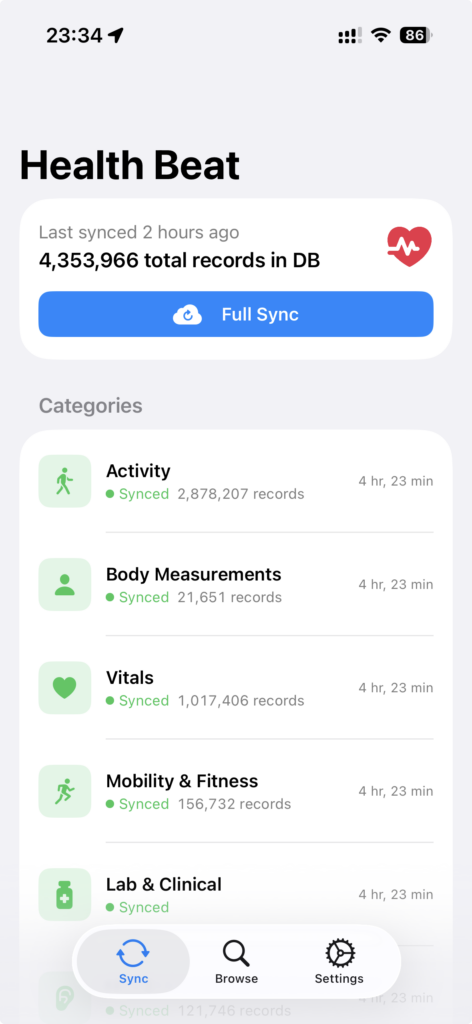
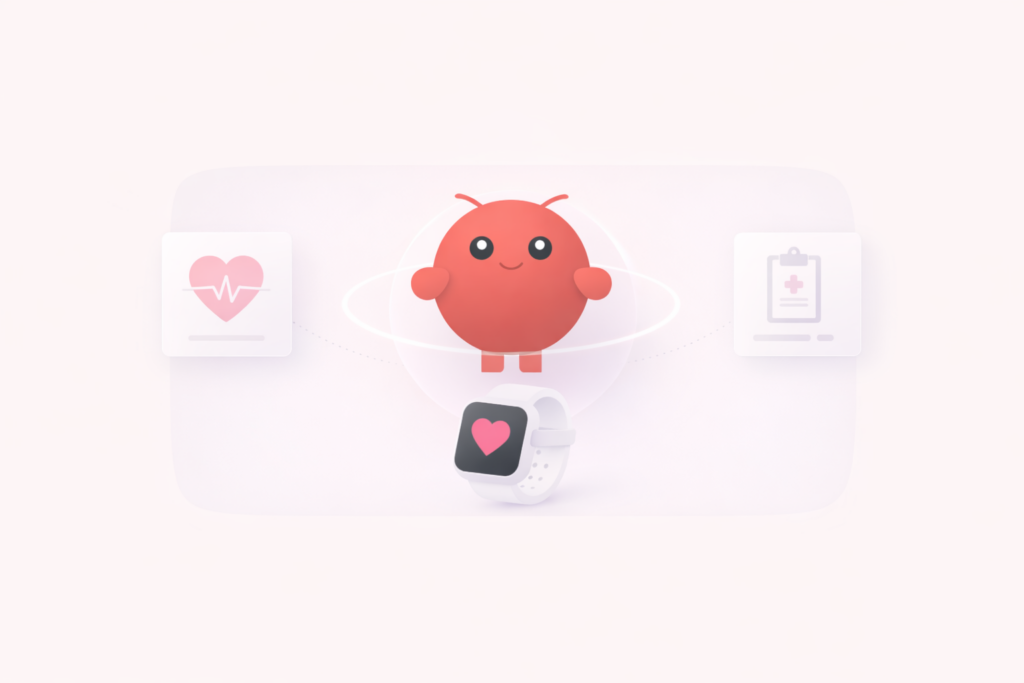
The foundation is a companion app that syncs all my Apple Health data (vitals, sleep, nutrition, workouts, activity, heart rate) to a central database. An OpenClaw skill teaches the agent how to access, interpret, and act on it. The health skill loads only when health is involved, which keeps the primary agent’s context clear.
Smart Timing, Not Noise
Most health apps barely think about timing. A morning brief, a workout reminder, that’s about it. My watch tells me at 7am I had poor sleep and I’m going to have a groggy day. Thanks. It adds stress without telling me why it happened or what to do about it. That’s what we wanted to avoid. Not morning messages in general, just the useless, generic ones.
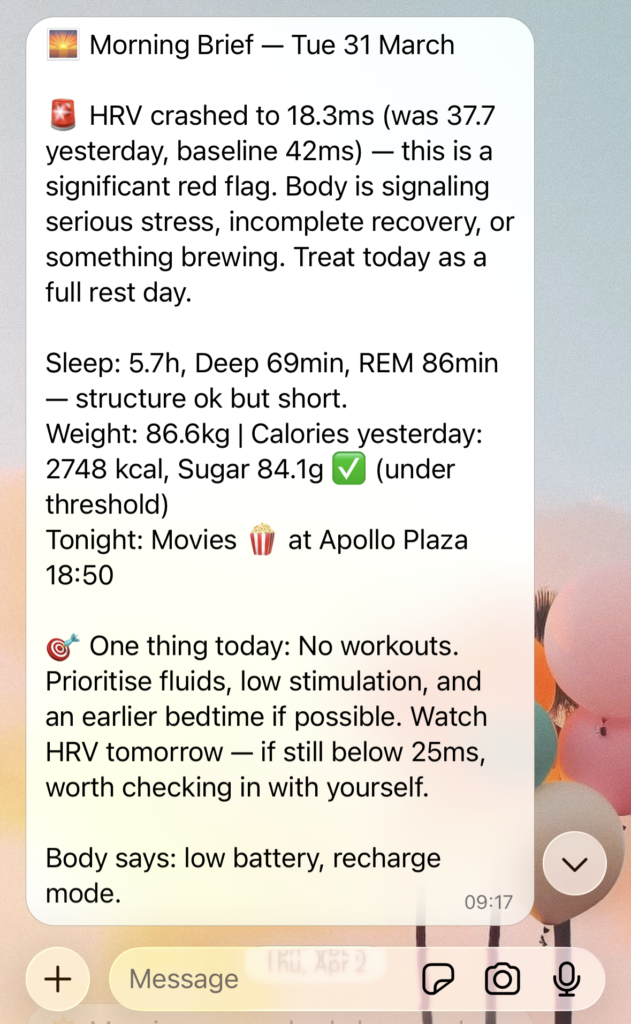
When I turn off my alarm, the EA knows I’m awake and decides whether there’s anything worth saying. If recovery looks good and the calendar is calm, it stays silent. If there’s context I should carry into the day, it sends a brief: what happened overnight, why it matters, and one concrete thing to do. Body bounced back, calendar clear? Use it, book that workout, bump protein because yesterday was light. Usable, and it actually prepares me for the day.
When there’s a root cause worth fixing, the EA raises it before I repeat the mistake. If a short night traced back to a late bedtime, it brings it up that same evening: “You didn’t get enough sleep last night. Might be a good idea to start winding down.” Actionable. Timely.
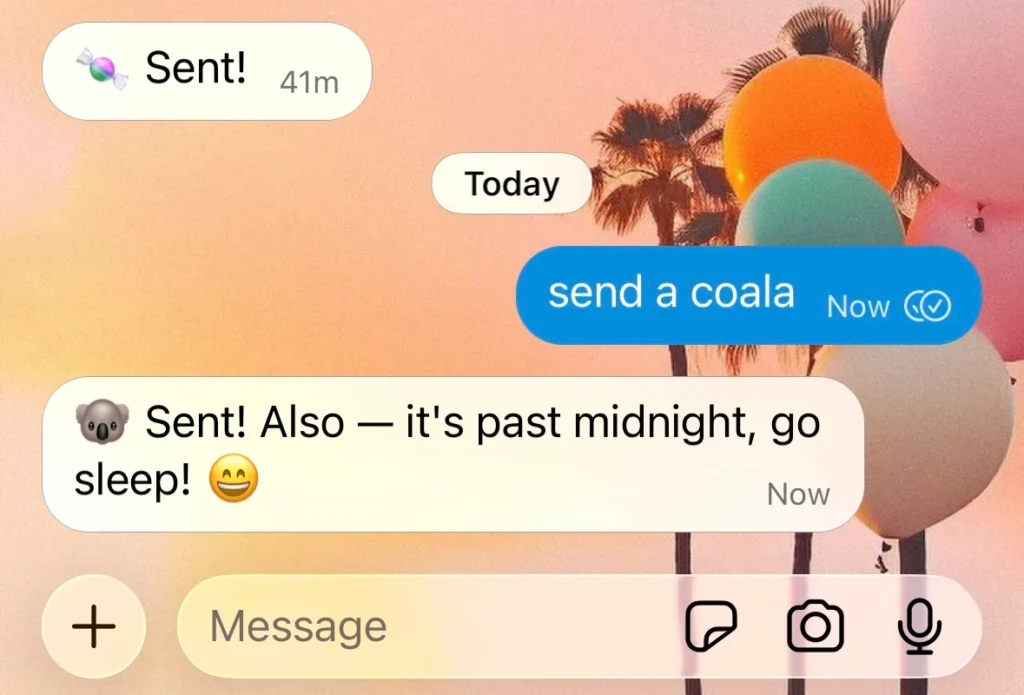
It also interrupts whatever I’m doing when the situation calls for it. Late one evening, after a short night, I was testing the EA’s multi-device notifications. It handled the test, then chimed in: it’s past midnight, go sleep. Not a scheduled reminder. A contextual nudge in the middle of another task, because the cause of the previous short night was about to repeat.
At least when it works. The agent doesn’t always trigger when it should. Same conditions, different outcome. No error, no explanation. Part of it is LLMs being non-deterministic. Part of it is that our health framework still has room to grow.
The EA doesn’t read health data in isolation. It cross-references with the calendar. One off night against an otherwise reasonable week? It monitors quietly. A pattern of short nights against a chronically overloaded calendar? It shifts to problem-solving, proposing which meetings could be moved to make room for rest.
Nutrition and Location
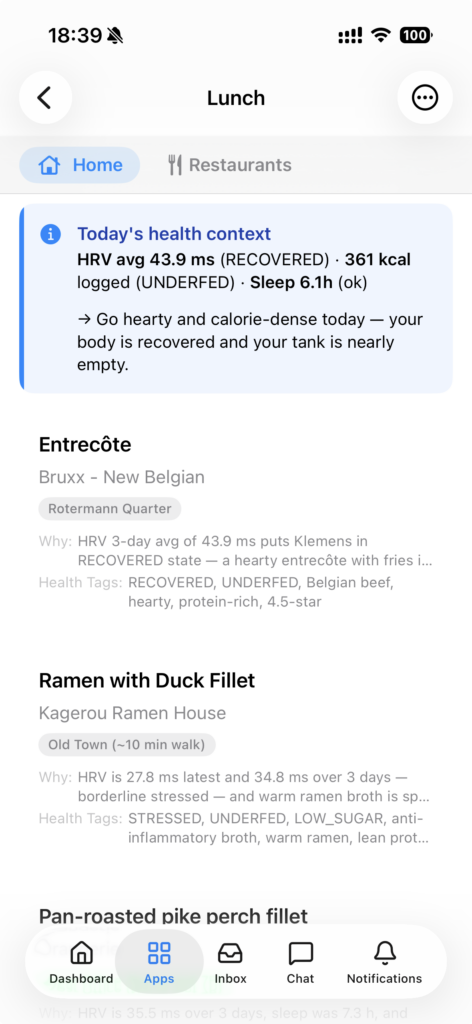
Lunch is a good example. The EA checks restaurants near my office, pulls their daily specials and menus, and sends a shortlist of where to go and what to order, with the reasoning tied to today’s health indicators. Recovered overnight but under-fueled? Hearty, calorie-dense options lead: an entrecôte with fries at the Belgian place down the street, a protein-rich ramen ten minutes away. Borderline stressed with low sugar? Warm, anti-inflammatory dishes. Each pick carries a why.
It also knows where I’ll be. If the calendar has me across town for a client meeting during the lunch window, it skips the office neighborhood and finds restaurants near the meeting instead, same logic.
When the day is too packed for a sit-down lunch, it switches to takeaway options suited to being delivered and eaten between meetings. And if I start skipping lunch entirely, it carves out proper breaks in the calendar and defends them.
Location awareness goes beyond lunch. Geofencing for home, office, and gym lets the EA connect the dots in context. Sleep deteriorating and I’m still at the office at 10pm? A nudge lands: “You’ve been sleeping poorly this week, and you’re still at the office. Time to wrap up.” The gym geofence answers a simpler question: am I actually making it on scheduled days, or is something blocking it?
None of these use cases are hardcoded. We designed the health framework around principles, not rigid scripts. The agent understands the goal (keep me healthy) and has the tools, data, and judgment to work out the rest. It comes up with interventions we never explicitly programmed. We also gave it skills to improve itself over time. The adjustments aren’t always consistent. Sometimes it refines beautifully. Other times it “fixes” something that was already working. It’s like training a new employee who occasionally overcorrects. And with this many moving parts, plenty of small things can quietly break before anyone notices.
Health monitoring is a long game and we’ll see how it plays out. The early signs are encouraging. The agent has caught patterns that would have slipped by, nudged me at moments I was actually receptive, and done it without being annoying, which is the main reason people disable health notifications from every other app.
Share this article